Everything you need to know about China visa photo requirements in 2026 — exact dimensions, background color, COVA upload specs, common rejection reasons, and where to get your photo taken.
A rejected visa photo is one of the most common -- and most avoidable -- reasons for delays in the China visa process. The consulate sends your entire application back, you scramble to get a new photo, and your travel timeline shifts by a week or more. The frustrating part is that the requirements are not complicated. They are just very specific.
Since the COVA (China Online Visa Application) system launched in late 2025, your photo needs to pass both a digital upload check and a manual review by consular staff. This guide covers every specification, the most common rejection reasons from CVASC (Chinese Visa Application Service Center) staff, and practical options for getting a compliant photo on the first attempt.
Key Takeaways
| Question | Answer |
|---|---|
| What size is a China visa photo? | 33mm wide x 48mm tall (approximately 1.30" x 1.89") |
| What background color is required? | Pure white (#FFFFFF) -- no gradients, patterns, or off-white shades |
| How recent must the photo be? | Taken within the last 6 months |
| Can I wear glasses? | Strongly recommended to remove them; reflections and thick frames cause rejections |
| Do I need a printed photo or digital? | Both -- a printed photo attached to the COVA form, plus a digital upload in the online system |
| What are the digital upload specs? | JPEG format, 354-420px wide x 472-560px tall, between 40KB and 120KB |
| Are requirements the same for all visa types? | Yes -- L, M, X, Z, G, and all other categories use identical photo specifications |
Exact Photo Specifications
The Chinese embassy and CVASC centers enforce strict photo standards. There is no margin for "close enough" -- visa officers use physical templates and digital measurement tools to verify compliance.
Printed Photo Dimensions and Framing
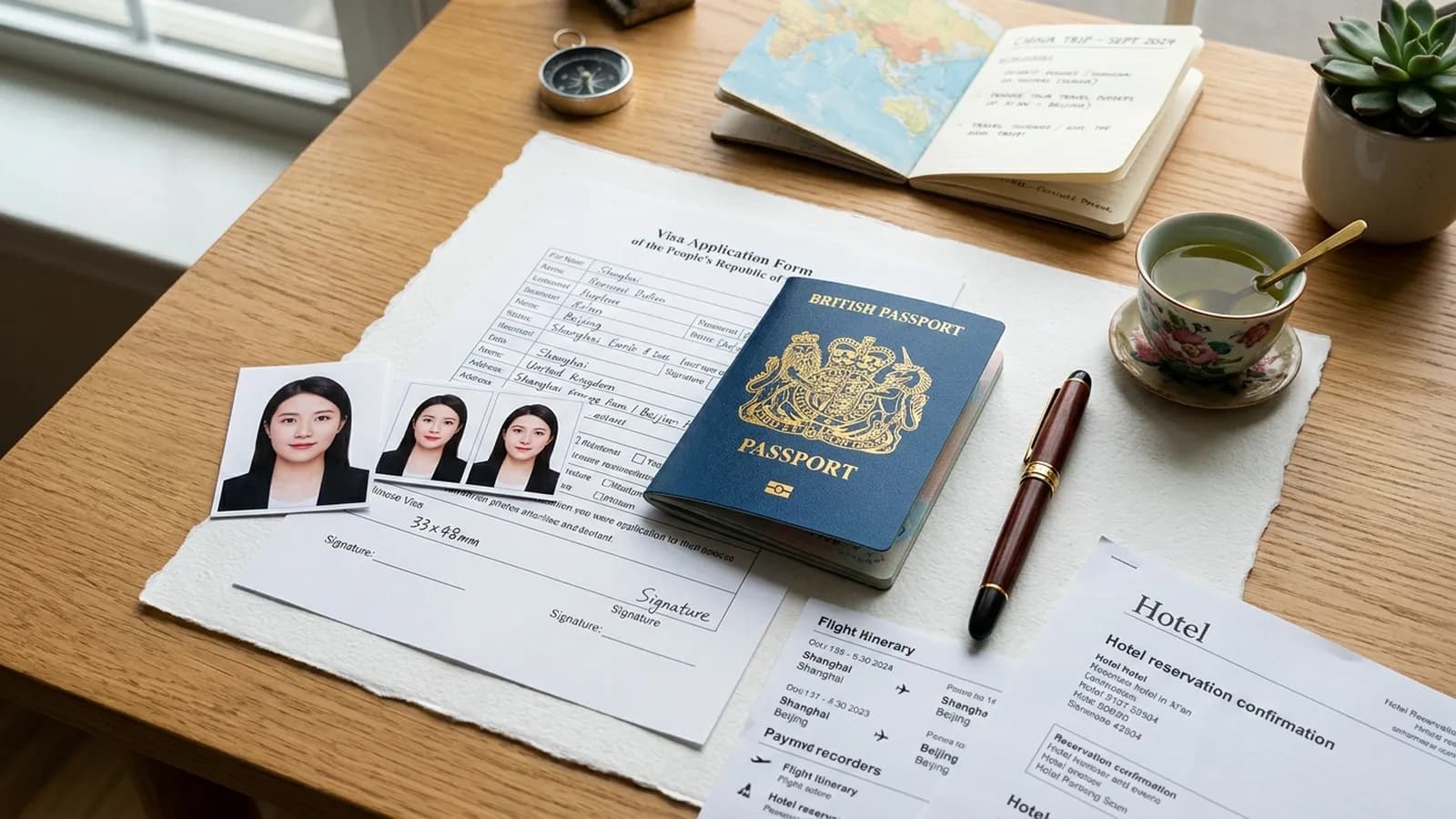
- Print size: 33mm wide x 48mm tall -- a non-standard size that differs from US passport photos (51x51mm) and UK passport photos (35x45mm). You cannot simply crop another country's passport photo
- Head height: 28mm to 33mm from chin to top of hair (roughly 70-80% of the frame)
- Head width: Between 15mm and 22mm
- Eye line: Approximately 21mm to 24mm from the bottom edge
- Top margin: 3mm to 5mm of white space above the head
- Face position: Centered horizontally with equal space on both sides
- Paper type: Glossy finish photo paper only. Matte or plain printer paper will be rejected
Consular staff check these measurements precisely. If your head is too small in the frame -- a common problem when cropping standard passport photos -- it gets flagged immediately.
Digital Photo Dimensions (for COVA Upload)
The COVA system accepts digital photos within a specific pixel range:
- Horizontal pixels: 354 to 420 pixels wide
- Vertical pixels: 472 to 560 pixels tall
- File format: JPEG (.jpg) only -- PNG, PDF, and other formats are rejected
- File size: Between 40KB and 120KB
- Color mode: 24-bit RGB true color
- Resolution: 300 DPI recommended
The system rejects files outside the 40-120KB size range. If your file is too large, use an image compressor. If too small, retake the photo rather than artificially enlarging a low-resolution image.
Background and Lighting
- Background: Pure white (#FFFFFF) only. Not off-white, light gray, or cream. No texture, patterns, gradients, or shadows
- Lighting: Even illumination across your face with no harsh shadows. Two light sources at 45-degree angles work best
- No background shadows: The area behind your head must be uniformly white. Standing too close to a wall creates shadow outlines that cause rejection
Expression, Posture, and Ears
- Expression: Neutral with mouth closed. No smiling, frowning, or raised eyebrows
- Eyes: Fully open, looking directly at the camera
- Head position: Straight and upright, facing the camera. The COVA system checks for tilts beyond 20 degrees left/right or 25 degrees up/down
- Ears: Both ears must be clearly visible -- tuck hair behind them. This requirement catches many applicants off guard
- Shoulders: Both visible and level
Clothing and Appearance
- Clothing: Avoid white or very light tops -- they blend into the background. Dark or medium tones provide the best contrast
- Head coverings: Not permitted unless worn for religious reasons. Full face must remain visible
- Hair: Must not cover your face, eyes, eyebrows, or ears
- Jewelry: Minimal is fine; remove anything that obscures facial features or creates glare
Digital vs. Printed Photo Requirements
Every applicant now needs both a digital photo for the COVA online submission and a physical print for the in-person CVASC appointment.
Printed Photo Requirements
- Quantity: One photo glued (not stapled) to the printed COVA form. Bring two or three extras as backups
- Paper: Glossy finish photo paper only
- Quality: Sharp focus, accurate colors, no pixelation
- Recency: Taken within the last 6 months
- Match: Your printed photo must be identical to the digital upload. Different photos for print and digital will cause processing problems
COVA Digital Upload Process
When completing your application at the COVA portal, you will reach a photo upload step:
- Upload your JPEG within the 354-420px x 472-560px range and 40-120KB file size limit
- The system runs an automated check evaluating background color, head position, face size, and quality
- If the system says "The photo check failed" -- do not panic. This is a known bug that has affected many applicants since the COVA launch. The automated check is imperfect, and consular officers manually review all photos. If your photo genuinely meets official specifications, proceed with your application
- Consular officers make the final decision based on manual review, not the automated result
Important: Even after a successful digital upload, you must bring an identical printed 33x48mm photo to your CVASC appointment. The digital upload does not replace the physical photo.
Common Rejection Reasons
Based on CVASC center feedback and applicant reports, these are the issues consular staff flag most frequently:
- Wrong dimensions -- Using a 2x2 inch US passport photo or 35x45mm UK photo without recropping to 33x48mm
- Background not pure white -- Off-white walls, light gray backdrops, blue-tinted backgrounds, or any color cast
- Shadows on the background -- Caused by standing too close to the wall or single-direction lighting
- Ears not visible -- Hair covering one or both ears is flagged regularly
- Glasses glare or frame obstruction -- Even subtle reflections, or thick frames covering the eyes
- Incorrect head size -- Head too small (common when cropping larger passport photos) or too large. The 28-33mm range is strictly enforced
- Photo too old -- If your appearance has noticeably changed, the consulate considers it non-representative
- Digital file outside specifications -- Wrong file size, format (PNG instead of JPEG), or pixel dimensions outside the accepted range
- Expression not neutral -- Smiling with teeth, mouth open, or unnatural expression
- Low resolution or compression artifacts -- Common with DIY photos or images re-saved multiple times
- Red-eye -- Any red-eye effect from flash leads to automatic rejection
- Unprofessional DIY photos -- Uneven lighting, visible objects, wrinkled backdrop. CVASC staff report DIY photos account for a disproportionate share of rejections
Where to Get Your China Visa Photo
Professional Photo Studios
The most reliable option. Tell the studio you need a China visa photo: 33mm x 48mm, pure white background, ears visible. Do not assume they know the China-specific dimensions -- many default to the local passport photo size. Ask for both glossy prints and a digital JPEG at 354x472 pixels between 40-120KB.
Typical cost: $10-25 USD / EUR 10-22 / GBP 8-20, including prints and digital file.
Pharmacy and Retail Photo Services
In the US, CVS, Walgreens, and Rite Aid offer passport photos. In the UK, try Boots or Snappy Snaps. In the Netherlands, HEMA and local photographers offer the service. Important: most produce your country's standard passport photo by default. You must specifically request the 33x48mm China visa dimensions -- call ahead to confirm.
Typical cost: $8-15 USD / EUR 8-12.
Online Photo Tools
Services like iVisa Photos, PhotoAiD, and Snap2Pass let you upload a portrait photo, select "China Visa" as the document type, and receive a properly formatted image. They handle cropping, background adjustment, and file compression ($5-10 USD). Quality depends on your original photo -- a poorly lit image with shadows will still look that way after formatting.
DIY at Home
Cheapest but riskiest. CVASC staff report homemade photos are rejected more frequently than professional ones. If you go this route:
- White background -- Clean white wall or taut white bedsheet. Check for textures, hooks, or shadow patterns
- Lighting -- Two sources at 45-degree angles, or diffused natural window light. No shadows on face or background
- Camera at eye level -- About 1.5 meters away, on a tripod or stable surface. Use the rear camera, not the selfie camera
- Set a timer -- 3-5 second delay so you are not reaching toward the phone
- Tuck hair behind ears -- Both ears must be visible
- Take many shots -- At least 10-15, then pick the best one. Zoom to 100% to check focus and background
- Crop and export -- 354x472 pixels, JPEG format, verify 40-120KB file size
Special Situations
Glasses
Remove your glasses for the photo. Reflections, glare, and frames obscuring the eyes account for a large share of rejections. The consulate does not require glasses in the photo even if you wear them daily.
If you must wear glasses for medical reasons:
- No glare or reflection on the lenses
- Frames must not cover any part of your eyes or eyebrows
- Thin frames only -- thick frames are more likely to be rejected
- Tinted, transition, and photochromic lenses are not permitted
- Sunglasses are never acceptable
Religious Head Coverings
Permitted for documented religious reasons. Your full face from chin to forehead must remain clearly visible, the covering must not cast shadows on your face, and it should not extend forward to obscure your facial outline.
Babies and Young Children
All children, including newborns, need their own compliant photo. The requirements allow some flexibility for very young children:
- Only the child in the frame -- no parent's hands or arms visible
- White background -- lay infants on a wrinkle-free white sheet and photograph from above
- Infants under 6 months may have eyes closed or mouth slightly open
- Children under 5 may show a slight natural smile, though neutral is preferred
- Eyes toward camera for older babies -- reviewers apply this more leniently than for adults
Tips: Schedule after a feeding but before sleepiness. Take dozens of rapid shots -- you only need one good frame. Have a parent behind the camera to attract the child's gaze. A professional photographer experienced with children's photos is worth the $15-25 fee.
Frequently Asked Questions
Can I use the same photo as my passport application?
Only if it was taken within the last 6 months and can be reformatted to 33x48mm. US passport photos (51x51mm) have a completely different aspect ratio. UK and Australian photos (35x45mm) are closer but still not correct. You need a photo taken at the 33x48mm ratio or professionally recropped from a high-resolution source.
Can I take the photo with my phone?
Yes. Modern smartphones produce sufficient resolution. The critical factors are lighting, background uniformity, and framing -- not the camera itself. Use the rear camera on a tripod with a timer for the sharpest result.
How many printed photos do I need?
One for the form, but bring two or three extras. If staff deem one non-compliant, having a backup saves you from rescheduling.
What if the COVA system says my photo failed the check?
This is a known bug. The "photo check failed" error appears for many applicants whose photos meet all requirements. If your photo matches the specifications in this guide, proceed with your application. Consular officers manually review every photo and accept compliant ones regardless of the automated result.
Is the photo requirement different for visa-free transit?
Under the 144-hour or 72-hour visa-free transit policy, you do not apply for a visa and do not need a photo. For e-visas or any standard category through an embassy or CVASC, standard requirements apply.
What if my photo is rejected after submission?
The CVASC will contact you to submit a replacement, adding 2-5 business days. Some centers accept replacements by email; others require an in-person visit.
Do requirements vary by visa category?
No. Tourist (L), business (M), student (X), work (Z), transit (G), and all other categories use identical photo specifications.
What about hearing aids or medical devices?
Small devices like hearing aids are permitted if they do not obscure facial features. For larger visible devices, contact your consulate for guidance.
Final Checklist Before Submitting
Run through every item before you submit your application:
- Photo dimensions are exactly 33mm x 48mm (printed) and within 354-420px x 472-560px (digital)
- Background is pure white with no shadows, gradients, or textures
- Photo was taken within the last 6 months
- Both eyes are open and looking directly at the camera
- Both ears are clearly visible
- No glasses (or glasses with absolutely zero glare if medically required)
- Mouth is closed, expression is completely neutral
- No white or very light-colored clothing
- Head height occupies 28-33mm (70-80% of the frame height)
- Digital file is JPEG format, between 40KB and 120KB
- Photo is sharp, well-lit, and accurately represents your current appearance
- Printed photo and digital upload are identical images
- Printed photo is on glossy photo paper
Getting your China visa photo right on the first attempt saves you days of processing delays and the hassle of rushing to find a compliant replacement. Take the extra ten minutes to verify every detail against this checklist, and you will clear this step of the visa application process without issues.

关于作者
Go2China Team
Go2China编辑团队结合第一手旅行经验和深厚的文化知识,为您带来准确、最新的中国旅行指南——从长城和故宫到远离游客路线的隐藏宝地。
- ✓在中国各地长期生活和旅行
- ✓团队中有母语级普通话使用者
- ✓信息经官方中国旅游来源验证