Master WeChat Pay and Alipay setup as a foreigner. Step-by-step guide with exact requirements, costs, and solutions for common problems.
WeChat and Alipay Setup for Foreigners: Complete Step-by-Step Guide
You've just arrived in Beijing, and you're hungry. You spot a street vendor selling steaming xiaolongbao (soup dumplings), but when you reach for your wallet, the vendor shakes their head—they only accept WeChat Pay and Alipay. This scenario plays out thousands of times daily across China, where mobile payments have virtually replaced cash. Setting up WeChat and Alipay for foreigners is no longer optional; it's essential for eating, shopping, and traveling through modern China.
Key Takeaways
| Question | Answer |
|---|---|
| Can foreigners use WeChat Pay and Alipay? | Yes, but with limitations. Full functionality requires a Chinese bank account or linked payment method. |
| What's the easiest setup method? | Link a foreign debit/credit card (Visa, Mastercard) to either app during registration. |
| How much does setup cost? | Free. No fees for account creation or linking cards. |
| Which app should I prioritize? | Both—WeChat Pay and Alipay are equally important. Aim to set up both before arrival. |
| Can I use these apps without a Chinese phone number? | WeChat requires a Chinese number or verification help from a friend in China. Alipay is more flexible. |
| What's the daily spending limit? | Varies by payment method and account age, typically CNY 2,000–5,000 (USD 275–690) per transaction for new foreign accounts. |
1. Understanding WeChat Pay vs. Alipay: Which One Do You Need?
WeChat Pay and Alipay dominate China's digital payment landscape, collectively accounting for over 90% of mobile payment transactions. Both are essential—not because one is "better," but because different merchants prefer different platforms. During our three years living in Beijing, we learned quickly that carrying both apps wasn't redundant; it was survival.
WeChat Pay is integrated directly into WeChat, the all-in-one messaging and social platform that 1.3 billion people use daily. Alipay, owned by Ant Group, operates as a standalone payment app with slightly different features and merchant coverage. The key difference: WeChat Pay works seamlessly within the WeChat ecosystem (messaging, moments, mini-programs), while Alipay excels at standalone transactions and has stronger integration with travel services.
WeChat Pay: Integrated Ecosystem
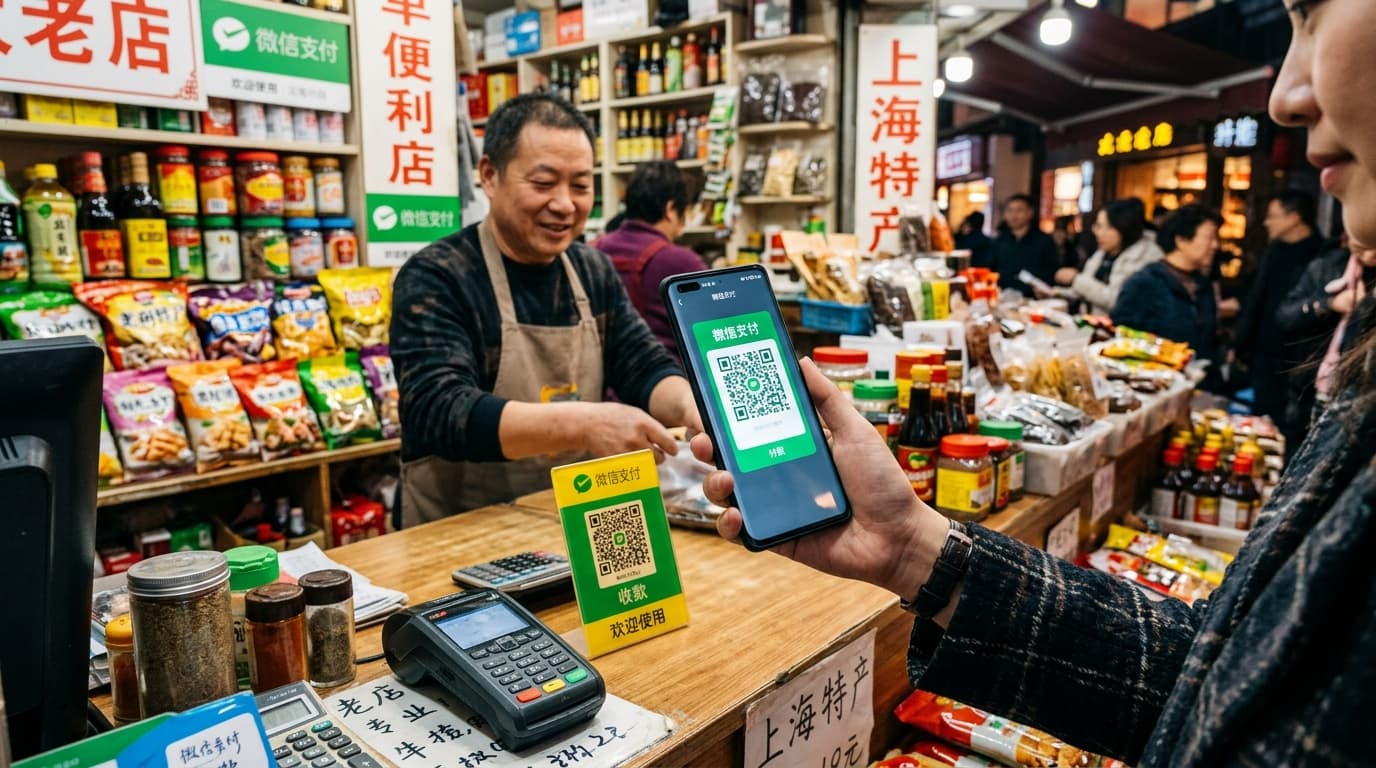
WeChat Pay lives inside the WeChat app, making it convenient if you're already using WeChat for messaging. The interface is intuitive—tap "Pay," scan a QR code, and you're done. WeChat Pay dominates in smaller cities, street vendors, and local restaurants. When we explored night markets in Shanghai, nearly every stall had a WeChat QR code displayed.
Setting up WeChat Pay requires first establishing a WeChat account, which itself has specific requirements for foreigners. You'll need either a Chinese phone number or help from a friend already in China to verify your account. Once verified, linking a payment method is straightforward.
Alipay: Standalone Flexibility
Alipay operates independently and often feels more "foreigner-friendly" in its setup process. It has stronger partnerships with international payment systems and is generally easier to link to foreign credit cards. Alipay also integrates with travel services—you can book hotels, purchase train tickets, and manage travel insurance within the app.
2. Pre-Arrival Preparation: What You Need Before Landing
Before boarding your flight to China, gather these essentials. The preparation phase takes 15–30 minutes and eliminates frustration upon arrival.
Required Documents and Information
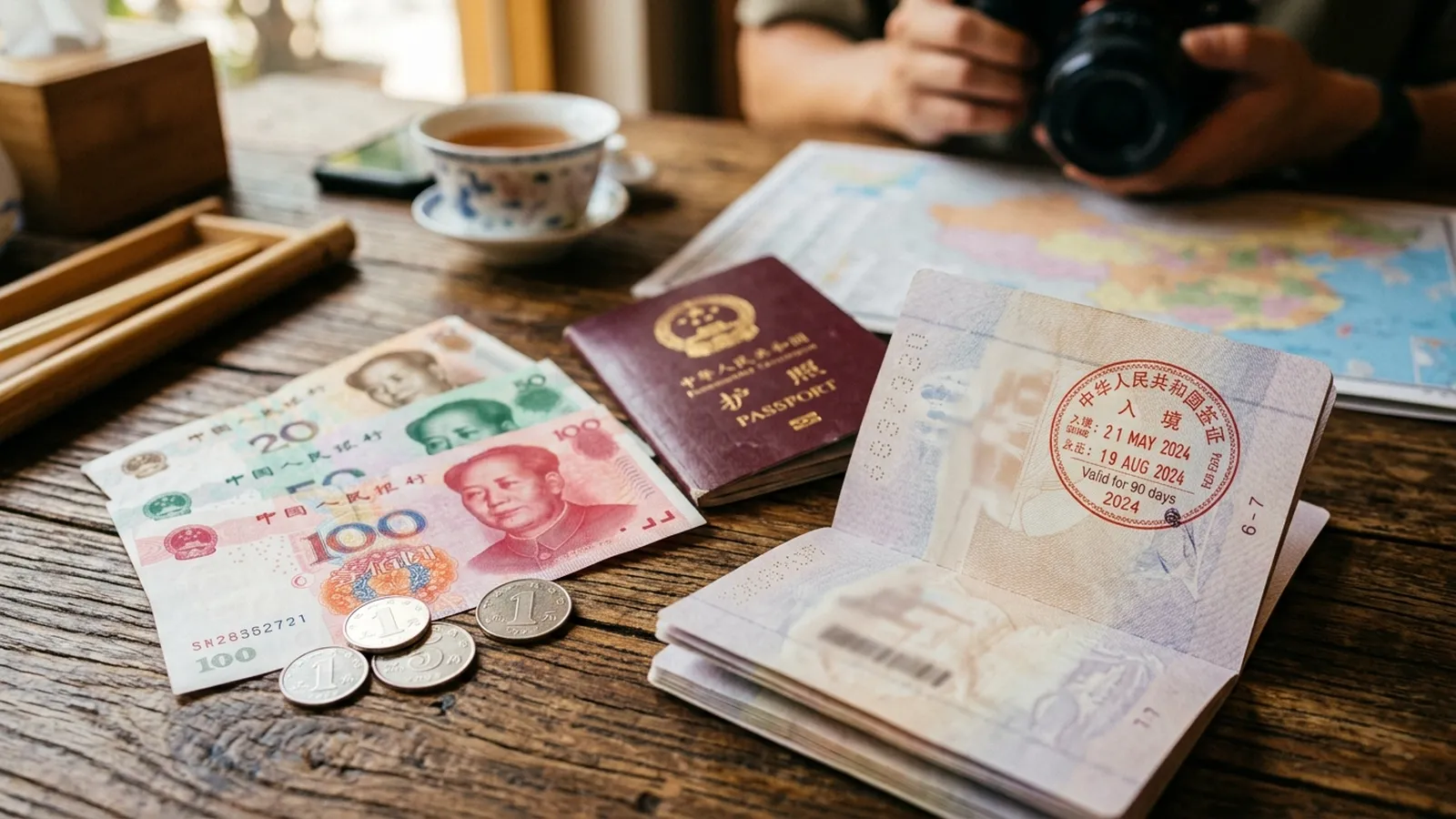
Passport details are your first requirement. Both WeChat and Alipay will ask for your full name, passport number, and date of birth during registration. Have your passport handy when setting up these apps. Your international phone number (the one you're bringing to China) is also essential—both apps send verification codes via SMS.
A valid international debit or credit card is critical. Visa and Mastercard are universally accepted; American Express and Discover are not. Ensure your card issuer allows international transactions and hasn't flagged your account for travel. Call your bank before departure to inform them you're traveling to China—this prevents fraud blocks when you first use your card in the apps.
- Essential item: International debit/credit card (Visa or Mastercard)
- Backup option: Have two cards linked if possible
- Verification requirement: SMS-capable phone number
- Documentation: Passport with valid visa or visa-free entry eligibility
- Timing: Complete registration 2–3 days before arrival to allow verification processing
Get a China eSIM before you land. Some plans include [VPN](https://nordvpn.tpo.lv/ekHF1i55) access.
Get Saily eSIM for China → Scan me
3. Setting Up WeChat: Step-by-Step for Foreigners
WeChat setup is a two-stage process: first, create your WeChat account; second, add payment capability. The challenge is that WeChat requires verification, which is stricter for foreign phone numbers.
Stage 1: Creating Your WeChat Account
Compare hotels across China with free cancellation on most bookings.
Search Hotels on Booking.com → Scan me
Download WeChat from the App Store (iOS) or Google Play (Android). Open the app and select "Sign Up." Enter your full name exactly as it appears on your passport—this matters for payment verification later. Choose a username (this can be different from your display name) and create a strong password.
WeChat will ask for your phone number. Enter your international number with the country code (e.g., +1 for the US). You'll receive an SMS verification code within 60 seconds. Enter this code to verify your phone number.
Here's where it gets tricky: WeChat has restrictions on foreign numbers. If verification fails, you have two options. Option A: Ask a friend already in China with a verified WeChat account to scan a QR code and verify you. This is the fastest method—they scan, you're verified instantly. Option B: Wait 24 hours and try again; sometimes the system accepts foreign numbers on a second attempt.
Stage 2: Adding Payment Capability
Once your WeChat account is verified, go to Me (bottom right) → Wallet → Payment. You'll see "Add a payment method." Tap this and select Credit/Debit Card. Enter your card details:
- Card number (16 digits)
- Expiration date (MM/YY format)
- CVV (3-digit security code on the back)
- Cardholder name (must match your passport)
- Billing address
WeChat will charge a small amount (typically CNY 1–2, or USD 0.15–0.30) to verify your card. This charge appears within 3–5 business days and is refunded automatically. Confirm the amount when prompted to complete verification.
Did You Know? WeChat has over 1 billion monthly active users, and WeChat Pay processes more transactions daily than Visa and Mastercard combined in China.
Source: Tencent Investor Relations
4. Setting Up Alipay: The Foreigner-Friendly Alternative
Alipay setup is generally smoother for foreigners because it has more robust international payment integration. The entire process takes 10–15 minutes.
Download and Initial Registration
Download Alipay from the App Store or Google Play. Tap "Sign Up" and select your country from the dropdown menu. Choose your preferred language (English is available). Enter your email address (Alipay accepts email instead of requiring a phone number, making it more flexible for foreigners).
Create a password—Alipay requires a strong password with at least 8 characters, including uppercase, lowercase, and numbers. Confirm your email by clicking the verification link sent to your inbox. This step is crucial; don't skip it.
Adding Your Payment Method
Once your email is verified, tap My (bottom right) → Payment Methods. Select Add a Credit/Debit Card. You'll enter the same information as WeChat:
- Card number
- Expiration date
- CVV
- Cardholder name
- Billing address
Alipay also charges a small verification amount (CNY 1–2) to confirm your card. Unlike WeChat, Alipay sometimes asks for additional identity verification. If prompted, upload a photo of your passport (front page) and a selfie. Processing takes 24–48 hours.
Alipay's Foreigner-Specific Features
Alipay has a dedicated "Foreigner" section in settings. Navigate to My → Settings → Account and look for "Foreigner Registration" or similar. This unlocks higher transaction limits and access to more merchants. Some users report that explicitly registering as a foreigner increases daily spending limits from CNY 2,000 to CNY 5,000 (USD 275–690).
Set up both apps before arriving in China. Airport WiFi is reliable, but having both apps ready eliminates stress on your first day.
5. Linking Your Card: Troubleshooting Common Issues
Even with perfect preparation, card linking sometimes fails. Here are the most common issues and solutions.
"Card Not Supported" Error
This error typically means your card issuer doesn't allow international transactions or has flagged your account. Solution: Call your bank's international support line and explicitly authorize transactions in China. Ask them to remove any travel restrictions. Wait 24 hours before retrying.
Some banks (particularly smaller regional banks in the US) don't support Visa/Mastercard transactions in China. If your bank is uncooperative, consider opening a new account with a major bank (Chase, Bank of America, Wells Fargo) before your trip.
Verification Code Not Arriving
Both apps send SMS verification codes to your international number. If you don't receive a code within 60 seconds, check that your phone has active SMS capability. Some eSIM plans don't include SMS; if you're using an eSIM, ensure SMS is enabled. Solution: Request a new code (most apps have a "Resend" button). If it still doesn't arrive, try again in a few hours—sometimes there are temporary delays.
"Real-Name Verification Failed"
This error means the name on your card doesn't match your account name exactly. Solution: Ensure your WeChat/Alipay account name matches your passport name character-for-character. If you've already created an account with a different name, contact customer support to change it before linking your card.
- Quick fix: Restart the app and try again
- Persistent issue: Contact customer support via in-app chat (both apps have English-language support)
- Last resort: Set up an account once you're in China with a Chinese friend's help
6. Understanding Transaction Limits and Account Restrictions
Foreign accounts have spending limits that increase over time. Understanding these limits prevents embarrassing moments at checkout.
Initial Limits for New Foreign Accounts
Book Great Wall tours, cooking classes, and experiences in advance with instant confirmation.
Browse Activities on Klook → Scan me
When you first link a card, your daily transaction limit is typically CNY 2,000 (approximately USD 275). This means you can spend up to CNY 2,000 per transaction, and the app may limit total daily spending to CNY 5,000–10,000 (USD 690–1,380). These limits feel restrictive, but they're designed to protect against fraud.
The limits increase automatically as your account ages and you complete more transactions. After 30 days of regular use, limits often increase to CNY 5,000 per transaction. After 90 days, you may reach CNY 10,000 or higher. Some users report that explicitly verifying their identity (uploading a passport photo) accelerates limit increases.
Comparison of Payment Limits
| Account Type | Initial Daily Limit | After 30 Days | After 90 Days |
|---|---|---|---|
| New Foreign Account (WeChat) | CNY 2,000 | CNY 5,000 | CNY 10,000+ |
| New Foreign Account (Alipay) | CNY 2,000 | CNY 5,000 | CNY 10,000+ |
| Account with Chinese ID | CNY 50,000+ | Unlimited | Unlimited |
| Business Account | Varies | Varies | Varies |
Workarounds for Low Limits
If you need to spend more than your limit, split transactions across multiple payments. For example, if your limit is CNY 2,000 and you need to book a CNY 3,500 hotel, make two separate payments: CNY 2,000 and CNY 1,500. Both apps process these instantly.
Another workaround: Ask the merchant if they accept payment via QR code transfer rather than scanning your code. Some merchants have higher limits for transfers than for standard payments.
7. Using WeChat Pay and Alipay: The Mechanics
Once your apps are set up, using them is intuitive. Here's how to actually pay.
The QR Code Scan Method (Most Common)
This is how you'll pay 95% of the time in China. When you're ready to checkout, the merchant displays a QR code—printed on paper, displayed on a screen, or shown on their phone. Open WeChat or Alipay, tap Scan (usually a camera icon), and point your phone at the QR code. Your app automatically recognizes it and opens a payment confirmation screen showing the amount.
Review the amount, confirm it matches what you agreed to pay, and tap Confirm or Pay. The payment processes instantly. You'll see a confirmation message and a receipt. Some merchants print a receipt; others send it via the app. Keep digital receipts for your records—they're proof of payment if disputes arise.
The Payment Code Method (Merchant Scans You)
Less common but useful: you can display your own payment code for the merchant to scan. Tap Collect Money or Payment Code in your app—it displays a unique barcode. The merchant scans this code using their payment terminal. This method works well for street vendors who may not have printed QR codes.
Transferring Money Between Users
You can send money to friends via WeChat Pay or Alipay. In WeChat, go to Wallet → Transfer and enter the recipient's WeChat ID or phone number. In Alipay, tap Transfer and enter their Alipay ID or phone number. Transfers are instant and free. This is useful for splitting bills with friends or paying back borrowed money.
8. Safety, Security, and Protecting Your Account
Digital payment security is paramount in China, where fraud is sophisticated. Both WeChat and Alipay have strong security features, but you must use them correctly.
Setting Up Security Features
Both apps allow you to set a payment password—a 6-digit PIN separate from your login password. This prevents unauthorized payments even if someone accesses your account. Set this immediately after linking your card. Go to Settings → Security and create your payment password.
Enable biometric authentication (fingerprint or face recognition) for faster, more secure payments. When you tap Confirm on a payment, your phone asks for your fingerprint or face instead of your password. This is faster and more secure than typing a PIN.
Enable payment notifications. Both apps can send you a notification every time your account is used. Go to Settings → Notifications and enable payment alerts. This lets you spot unauthorized activity immediately.
What to Do If Your Account Is Compromised
If you suspect unauthorized access, act immediately. Open the app, go to Settings → Security, and change your password. Disable your payment method by going to Payment Methods and removing your card. Contact your bank to report the card as potentially compromised. Most banks will cancel the card and issue a replacement.
Both WeChat and Alipay have fraud protection. If an unauthorized transaction occurs, report it within 24 hours via the app's customer service. Both companies have strong track records of refunding fraudulent transactions.
Did You Know? China's mobile payment fraud rate is less than 0.1%, significantly lower than credit card fraud rates in Western countries, thanks to strict real-name registration requirements and biometric authentication.
9. Practical Tips for Using These Apps While Traveling
Our team's experience traveling through Yunnan and Sichuan provinces revealed that mobile payments work everywhere—but you need strategies to handle edge cases.
Offline Payments and Backup Plans
Compare car rental prices across China. Pick up at airports or city locations with flexible cancellation.
Compare Car Rentals →
Scan me
Mobile payments require internet connectivity. In most of Shanghai and Beijing, this isn't an issue—5G is ubiquitous. But in rural areas, connectivity can be spotty. Solution: Download offline maps and keep a small amount of cash (CNY 100–200, or USD 14–28) as backup. Some rural vendors still accept cash, and it's your safety net if your phone dies.
Both apps have offline payment codes that work without internet. Your payment code is generated locally on your phone and doesn't require uploading data. However, the merchant's terminal still needs internet to process it, so this isn't a complete solution.
Managing Multiple Cards
If you have multiple cards (personal and business, or backup cards), you can link all of them to WeChat and Alipay. Set one as your default payment method so you don't have to select a card every time. You can change your default in Settings → Payment Methods.
Tracking Spending
Both apps provide detailed transaction histories. In WeChat, go to Wallet → Bills to see all transactions. In Alipay, tap My → Bills. You can filter by date, category, and payment method. This is invaluable for budgeting and expense tracking while traveling.
Compare hotels across China with free cancellation on most bookings.
Search Hotels on Booking.com →
Scan me
10. Troubleshooting: When Things Go Wrong
Despite careful preparation, issues sometimes arise. Here's how to solve the most common problems.
Payment Declined at Checkout
If a payment is declined, it's usually because you've hit your transaction limit or daily limit. Solution: Check your account balance and recent transactions in the app's transaction history. If you've hit your limit, wait until the next day or split the payment into smaller transactions. If the issue persists, contact your bank to ensure your card isn't being blocked.
Merchant Says They Don't Accept Your App
This is rare but happens occasionally. Some very small vendors or rural shops only accept one app. Solution: Ask if they accept the other app. If not, ask if they accept bank transfers (most do). As a last resort, ask a local friend to pay on your behalf and reimburse them in cash or via transfer.
Your Account Was Locked for Security
If you attempt to log in from multiple devices or locations rapidly, both apps may lock your account temporarily. Solution: Wait 24 hours before attempting to log in again. When you do, you may be asked to verify your identity by uploading a passport photo or answering security questions. This is normal and protects your account.
Exchange Rate Concerns
When you link a foreign card, your bank converts CNY to your home currency. The exchange rate used is set by your bank, not by WeChat or Alipay. Solution: Check your bank's exchange rate before making large purchases. Some banks charge a 2–3% markup on foreign transactions. If this concerns you, consider opening a bank account in China once you arrive (possible with a tourist visa) to avoid conversion fees.
Frequently Asked Questions
Can I use WeChat Pay and Alipay without a Chinese bank account?
Yes, absolutely. You can link your foreign debit or credit card (Visa or Mastercard) to both apps and use them immediately. A Chinese bank account is optional and only necessary if you want higher transaction limits or plan to stay long-term.
What's the difference between WeChat Pay and Alipay for tourists?
Both work equally well for tourists. WeChat Pay is slightly more integrated with messaging and social features, while Alipay has better travel service integration (hotels, trains, flights). Set up both—they're complementary, not competitive.
Can I use these apps if I don't have a Chinese phone number?
Yes. WeChat requires verification, which you can get from a friend in China or by waiting 24 hours and retrying with your international number. Alipay accepts international phone numbers and email addresses, making it easier for foreigners. Prioritize Alipay if you only have time to set up one app.
How long does it take to set up WeChat Pay and Alipay?
If you prepare before arrival (download apps, have your card details ready), setup takes 15–30 minutes total. If you're setting up after arriving in China, allow 1–2 hours because you may need to troubleshoot connectivity or verification issues.
Are there any fees for using WeChat Pay or Alipay?
No. There are no fees for account creation, linking cards, or making payments to merchants. Your bank may charge a foreign transaction fee (typically 1–3%), but this is your bank's fee, not WeChat's or Alipay's.
What should I do if I lose my phone?
Immediately log into your account from another device and change your password. Disable your payment method by removing your card. Contact your bank to report the card as potentially compromised. Both apps have account recovery options—you can regain access by verifying your email or phone number.
Can I get a refund if I make a mistake in a payment?
Contact the merchant immediately. Most refund requests are processed within 24–48 hours. If the merchant is uncooperative, both WeChat and Alipay have dispute resolution processes. Go to Settings → Help & Support and file a dispute. Both companies take fraud and merchant disputes seriously.
Conclusion
Setting up WeChat and Alipay before your trip to China transforms your travel experience from stressful to seamless. These apps aren't luxuries—they're necessities. From buying dim sum at a Shanghai restaurant to paying for a taxi in Beijing, you'll use these apps dozens of times daily.
The good news: setup is straightforward if you follow these steps before arrival. Spend 30 minutes now linking your card, and you'll save hours of frustration when you land. Both apps are free, secure, and ubiquitous across China.
For more practical information on traveling in China, including getting around, internet and VPN access, and currency and money tips, visit our comprehensive practical guides.
Ready to explore China? Start by setting up these apps today, then check out our city guides for Beijing, Shanghai, and Guangzhou to plan your itinerary.
The Go2China Team has spent years living and traveling throughout China. We write from genuine experience, not hearsay. If you have questions about WeChat, Alipay, or any aspect of traveling in China, our community is here to help.

关于作者
Go2China Team
Go2China编辑团队结合第一手旅行经验和深厚的文化知识,为您带来准确、最新的中国旅行指南——从长城和故宫到远离游客路线的隐藏宝地。
- ✓在中国各地长期生活和旅行
- ✓团队中有母语级普通话使用者
- ✓信息经官方中国旅游来源验证